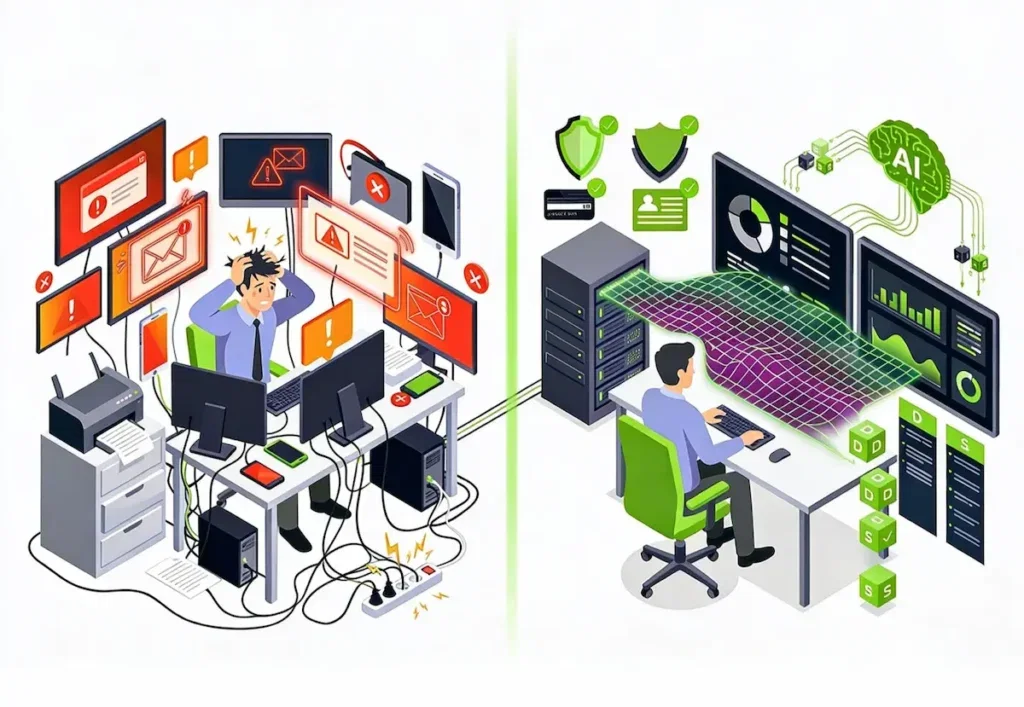





More than half of the organisations surveyed by the Uptime Institute say their most recent significant outage cost them more than 100,000 dollars, and one in five more than a million. In most cases, the incident started with a weak signal nobody noticed: a disk filling up, a response time drifting, a certificate approaching its expiry date.
IT monitoring exists to catch these signals before they turn into outages. This article gives its definition, objectives and main types, explains how it works and which tools are on the market, then turns to the question vendors rarely address: who is watching, and at what time. It covers the monitoring of information systems, not the industrial supervision of production machinery.
What is IT monitoring?
Definition
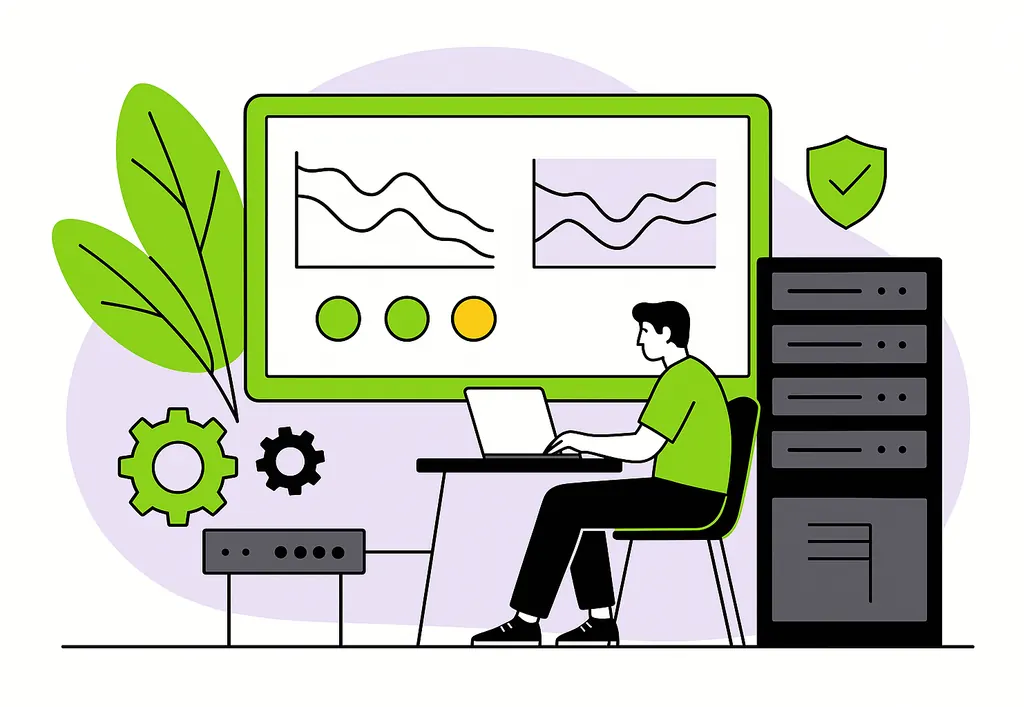
IT monitoring refers to all the tools and practices used to continuously watch over the state of an information system: servers, network, databases, applications and cloud services. It collects measurements, compares them with thresholds, raises alerts when something goes wrong and provides an overall view of the health of the IT system.
Its purpose is not to produce charts, but to shorten the time between a problem appearing and its resolution. Effective monitoring detects an incident before users do, helps find its cause and keeps a record of what happened.
Monitoring, supervision, observability, hypervision: the nuances
These terms overlap and are often used interchangeably. In its narrowest sense, monitoring means measuring and watching indicators: the basic technical building block. What the French call supervision adds the operational dimension on top: handling alerts, escalating them and managing incidents. In English, both are usually grouped under IT monitoring.
Observability goes further in the analysis: it cross-references metrics, logs and traces to understand how a system behaves, including when facing an unforeseen problem. Hypervision, finally, consolidates several monitoring tools into a single console, which is useful when an IT system has accumulated several of them over the years.
The objectives of IT monitoring
Well-designed monitoring serves business objectives, not just technical ones. They fall into six groups.
- Ensuring availability of the services your teams and customers depend on, by detecting outages as early as possible.
- Maintaining performance : spotting slowdowns before they become noticeable or blocking.
- Anticipating saturation : disk space, memory, bandwidth, licences. Most capacity outages can be predicted weeks in advance.
- Detecting threats : abnormal behaviour, intrusion attempts, unauthorised changes.
- Managing service commitments : measuring actual availability, tracking resolution times and reporting to business departments.
- Optimising costs : identifying oversized or unused resources, particularly in the cloud.
The first objective is the most visible, but anticipation is often what pays off most: an incident avoided costs nothing, neither in intervention hours nor in reputation.
The types of IT monitoring
Infrastructure monitoring
This is the foundation: physical and virtual servers, storage, hypervisors, containers and cloud resources. It tracks CPU load, memory, disk space and the status of system services and backups.
In a hybrid environment, the difficulty lies in getting a single view across on-premise servers and cloud services, which expose their measurements in very different ways.
Network monitoring
It covers equipment (routers, switches, firewalls, Wi-Fi access points) and links: availability, throughput, latency, packet loss. It relies in particular on the SNMP protocol, supported by virtually all network equipment.
Network monitoring is what makes it possible to tell a server that is down from a server that is simply unreachable, a nuance that completely changes the diagnosis.
Application monitoring
It measures what users actually experience: application response times, error rates, availability of key user journeys, database query performance. It relies on APM (application performance monitoring) tools and on synthetic tests that simulate user journeys.
An infrastructure that is entirely green does not stop an application from being unusable. That is why application monitoring is essential as soon as an application carries revenue or a critical process, backed if needed by a web and application performance audit to pinpoint its weak spots.
Security monitoring
It watches security events: suspicious logins, privilege escalations, unusual network flows, alerts from antivirus software and firewalls. It relies on a SIEM, which centralises and correlates these events, and on a team of analysts, the SOC.
Performance monitoring and security monitoring share collection tools, but not the same skills or the same reaction times. The latter calls for a managed SOC as soon as a company lacks the resources to keep a permanent watch.
Business monitoring
This is the type closest to executive management: it tracks business indicators (orders placed, invoices issued, flows exchanged with partners) and raises an alert when they deviate from normal.
A sudden drop in the number of orders can reveal an outage no technical probe has seen, such as a payment module silently rejecting cards. Business monitoring links the state of the IT system to its concrete consequences.
| Type | What is monitored | The question it answers |
|---|---|---|
| Infrastructure | Servers, storage, virtualisation, cloud | Are resources holding up? |
| Network | Equipment, links, throughput, latency | Are flows getting through? |
| Application | Response times, errors, user journeys | Can users do their work? |
| Security | Events, access, abnormal behaviour | Is the IT system under attack? |
| Business | Business indicators | Is activity running normally? |
Is your IT system monitored end to end?
We frame the monitoring of your infrastructure and applications, and handle alerts from business hours up to 24/7 on-call.
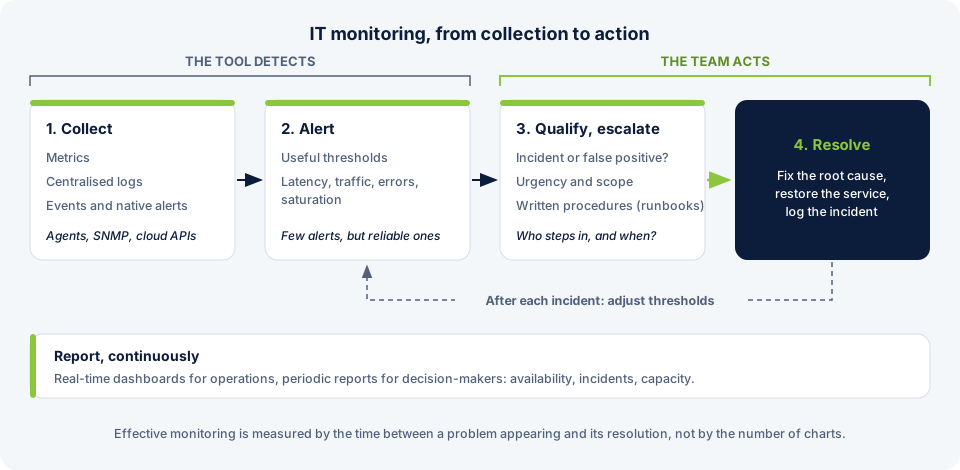
How monitoring works, from collection to action
Collecting metrics, logs and events
It all starts with collection. Agents installed on servers, SNMP requests to network equipment or calls to cloud service APIs continuously feed back metrics (numerical values), logs (event records) and native alerts.
Logs deserve particular attention: they are what explains an incident once it has been detected. Centralising them in a single platform, for example with an ELK stack, cuts a diagnosis from several hours to a few minutes.
Defining useful thresholds and alerts
An alert should call for an action. In their reference book on SRE, Google’s engineers formalised four golden signals to monitor for any service: latency, traffic, errors and saturation. It is a good starting point to avoid monitoring everything and seeing nothing.
The main enemy of monitoring is alert fatigue. When a team receives hundreds of notifications a day, it stops reading them, and the important alert goes unnoticed. Ten reliable alerts are better than a thousand noisy ones.
Qualifying, escalating and resolving
Once an alert has been triggered, it has to be qualified (real incident or false positive, urgency, scope affected), routed to the right person and tracked until resolution, usually in a ticketing tool. Procedures written in advance, called runbooks, set out for each type of alert the checks to run and the actions allowed.
This is the stage where most of the effectiveness is won or lost. Monitoring that detects an incident in one minute but sees it resolved three hours later has not done its job.
Reporting on the state of the IT system
Finally, monitoring produces real-time dashboards for operations teams and periodic reports for decision-makers: measured availability, incidents of the month, capacity trends. These reports inform investment decisions and the tracking of contractual commitments.
IT monitoring tools
The market is split between open source solutions, established vendors and SaaS platforms. None is better in absolute terms: the right monitoring software is the one your teams will be able to run.
| Category | Examples | Strengths | Points to watch |
|---|---|---|---|
| Open source | Zabbix, Centreon, Nagios, Prometheus and Grafana | No licence fees, great flexibility, data hosted on your side | Installation, maintenance and upgrades are your responsibility |
| SaaS platforms | Datadog, Dynatrace, New Relic | Fast to set up, native APM and cloud, AI features | Costs that rise with volume, data hosted by the vendor |
| Logs and security | Splunk, Elastic (ELK), Microsoft Sentinel | Analysis and correlation of large volumes of events | Expertise needed to get real value from them |
Three criteria matter more than the feature list: coverage of your actual environment (on-premise, cloud, hybrid), the ability to reduce alert noise and the total cost over three years, operating time included.
Setting up monitoring for your IT system in 5 steps
A monitoring project rarely fails because of the tool. It fails when installation comes first and thinking comes later. The reverse approach takes five steps.
- Map critical services. Start from business services (order taking, payroll, email) and work back to the applications, servers and links they depend on.
- Define indicators and thresholds. For each service, what needs to be measured, at what value an alert is raised, and with what urgency.
- Choose and deploy the tooling. Only at this stage, based on the environment, in-house skills and budget.
- Organise the response. Who receives alerts, over what hours, with which procedures and which intervention times.
- Improve continuously. Review thresholds after each incident, remove useless alerts, add the ones that were missing.
Step 4 is the one most often neglected. Yet it is what determines whether an alert at 2am will be handled at 2:10 or at 9 o’clock.
Monitoring and AI: what AIOps changes
The volume of data produced by a modern IT system exceeds what a team can analyse by hand. AIOps applies artificial intelligence to IT operations: anomaly detection without fixed thresholds, automatic correlation of alerts with the same root cause, saturation forecasting, even triggering corrective actions.
The benefit is real when it comes to reducing noise and anticipating. But AIOps replaces neither clean data collection nor a clear organisation: it amplifies the quality of existing monitoring, for better or for worse. We go into these uses in detail in our article on AIOps.
Monitoring in-house or outsourcing it?
Running IT monitoring in-house requires tools, skills and above all presence. Covering nights, weekends and holidays with on-call duty takes a team large enough to rotate, which few mid-sized companies and SMEs can mobilise.
Three models coexist. Monitoring only: a provider watches and alerts, your teams handle the incidents. Managed services: the provider takes charge of the full operation of your systems with contractual commitments. Staff augmentation: experts strengthen your team, under your management. The right model depends on what you want to delegate: the watching, or responsibility for the result.
Monitoring your IT system with Castelis
IT monitoring only adds value if it is linked to your business services and followed by action. That is precisely where Castelis comes in: we frame what needs to be monitored, deploy the tooling suited to your environment and handle alerts over time.
As part of our cloud and on-premise managed services, we monitor your servers, networks, backups and applications, with coverage calibrated to how critical each environment is: business hours, extended hours or 24/7 on-call. Security is covered by our SOC, which monitors and responds to incidents around the clock.
More than 25 years of experience, more than 500 projects delivered and ISO 27001 certification: we work with the tools on the market (Centreon, New Relic, Splunk, Kibana) according to your architecture, with measurable service commitments and reporting your business departments can read.
Entrust the monitoring of your IT system to a team that responds
Framing, deployment of monitoring and alert handling up to 24/7, with SLAs defined from the start.
FAQ
What is IT monitoring?
IT monitoring is the set of tools and practices that continuously watch over an information system (servers, network, applications, cloud services) to detect anomalies, alert teams and speed up incident resolution. Its aim is to ensure the availability and performance of the services the business depends on.
What are the three types of IT monitoring?
The three most commonly cited types are system (or infrastructure) monitoring, which watches servers and storage, network monitoring, which watches equipment and links, and application monitoring, which measures how applications behave from the users’ point of view. Security monitoring and business monitoring are often added.
What is the best IT monitoring tool?
There is no single best tool. Zabbix and Centreon are open source references, valued for their flexibility and the absence of licence fees. Datadog, Dynatrace and New Relic are SaaS platforms that are quick to deploy and strong on APM and cloud. The right choice depends on your environment, your in-house skills and the total cost of running the tool, not just on its features.
What does an IT monitoring operator do?
An IT monitoring operator, also called an operations technician or NOC operator, continuously watches the state of the information system from monitoring consoles. They qualify alerts, apply first-level resolution procedures, escalate to specialist teams and track incidents until they are closed. They often work staggered hours to provide extended coverage.
What is the difference between monitoring and observability?
Monitoring watches indicators defined in advance (is the service responding, how fast) and raises an alert when a threshold is crossed. Observability aims to understand why a system behaves the way it does, by cross-referencing metrics, logs and traces, including for problems nobody anticipated. Monitoring tells you something is wrong, observability helps you find out why.
How do you set up an IT monitoring project?
By starting from business services rather than from the tool. First map critical services and their dependencies, define indicators and alert thresholds, then choose the tooling. Next, organise the response to alerts (who, when, with which procedures) and adjust the set-up after each incident. That last step is what separates monitoring that stays alive from monitoring that slowly clogs up.

 Castelis Team
 7 min
7 min
 05 May 2026